

AI Aircraft Finally Get Some Attention
Busy airports in Microsoft Flight Simulator can feature plenty of parked and moving AI aircraft, but the gates surrounding them often remain strangely quiet.
Apron Life attempts to fill that gap by automatically adding ground-service activity to AI aircraft parked at the airport nearest the user. Instead of focusing exclusively on the player’s airplane, the program creates complete turnaround scenes across the apron.
Depending on the aircraft and available add-ons, those operations can include:
- Ground-power units
- Fuel and catering trucks
- Belt and container loaders
- Baggage tugs and carts
- Lavatory and water services
- Passenger stairs and buses
- Jet bridges
- Marshallers and wingwalkers
- Pilots, cabin crews and cleaning teams
- Boarding and deboarding passengers
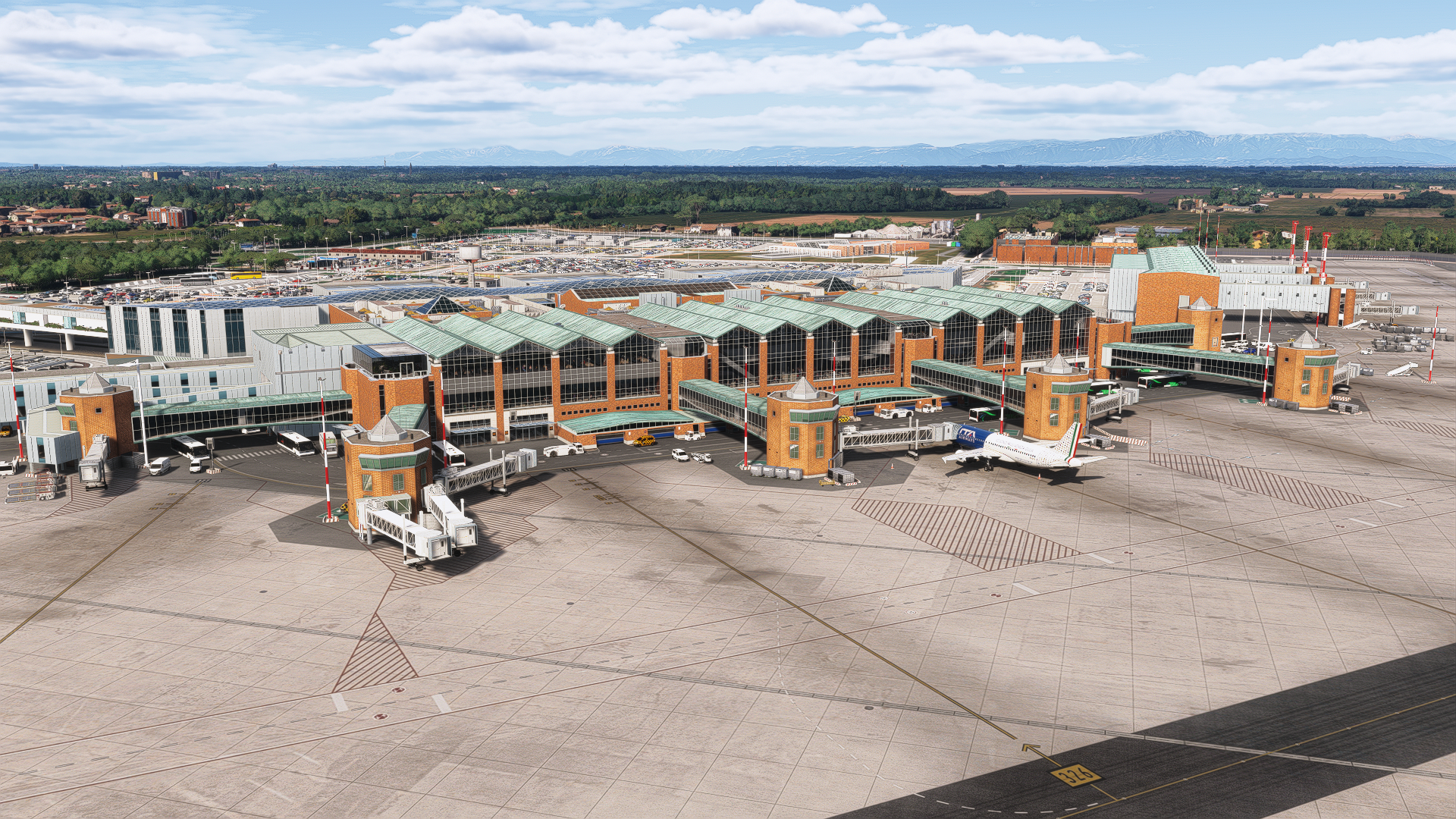
The result should be a noticeably busier airport environment, particularly at large airline hubs where dozens of AI aircraft may be occupying gates.
Turnarounds Follow an Operational Sequence
Apron Life does more than scatter equipment around parked airplanes.
Services are arranged into turnaround sequences, beginning with passenger deboarding and the arrival of ground equipment. Flight crews can leave the aircraft, cleaning teams board between flights, replacement crews arrive and passengers begin boarding after the cabin is prepared.
Remote stands can receive stairs and buses, while widebody aircraft may be served by container loaders and additional catering equipment. Freighters receive a separate cargo-focused turnaround without passenger buses, cabin crews or jet bridges.
AI aircraft arriving from a flight can also be serviced after taxiing to their assigned stands. When a departing aircraft switches on its beacon, vehicles clear the area, jet bridges retract and ground personnel prepare for pushback.
Vehicles Navigate Around the Apron
One of the program’s more ambitious features is its vehicle-routing system.
Service vehicles attempt to follow airport service roads or taxiways while avoiding parked aircraft, jet bridges, people and other equipment. Vehicles can queue behind one another, yield at crossings, back out of tight areas and move away from stands being entered by taxiing aircraft.
Weather and time of day also influence airport activity. Aprons can become quieter late at night, ground personnel may wear clothing appropriate to local conditions and deicing equipment can appear during cold-weather operations.
Apron Life only serves the airport closest to the user. It begins working after the player’s aircraft has remained on the ground for several seconds, removes its objects after takeoff and stops when the simulator returns to the main menu.
GSX Pro Is Optional but Expands the Experience
Apron Life can operate without FSDreamTeam’s GSX Pro, using the ground-service vehicles already included with Microsoft Flight Simulator.
Installing GSX Pro unlocks a broader collection of features, including animated passengers, stairs and buses at remote stands, ground personnel, marshallers, container loaders, hydrant dispensers and liveries taken from installed GSX airport profiles.
That makes Apron Life particularly interesting for users already building their ground environment around GSX. Sky Blue Radio recently covered Cockpit2Ground’s dynamic ground-crew communications, another utility intended to add depth to the turnaround and pushback experience.
GSX remains optional, however, and none of its models are redistributed with the free program.
An AI Traffic Injector Is Still Required
Apron Life does not create or control AI traffic.
Users need a separate traffic system capable of parking aircraft at airport gates. BeyondATC has been tested by the developer, while SayIntentions and VATSIM-injected traffic have reportedly been used successfully by members of the community.
The program also requires FSLTL or AIG aircraft models because it reads information such as door positions from the installed AI model.
Pilots interested in expanding their traffic environment can also read Sky Blue Radio’s coverage of BeyondATC’s support for ATG: Air Traffic Global.
Version 1.4.1 Targets Performance
Apron Life has already received several rapid updates since its initial release on September 29.
Version 1.4.1 introduces an optional “Bubble Mode,” which limits detailed vehicles and people to AI aircraft within 500 meters of the user. Jet bridges can be restricted to an even smaller area, with 200 meters used as the default setting.
Turnarounds outside that visible area continue to be tracked internally, allowing the appropriate vehicles and personnel to appear when the user moves closer.
The developer reports substantial performance improvements during testing at a heavily populated London Heathrow. Those figures will naturally vary with hardware, scenery, traffic density and simulator settings, but the new options give users more control over how much activity is generated.
Light, Medium and Full presets are included, along with individual controls for passengers, ground crews, jet bridges, service vehicles, marshallers and airport operations cars.
Available as a Free Download
Apron Life version 1.4.1 is available as a free download from Flightsim.to.
The portable Windows application supports Microsoft Flight Simulator 2020 and Microsoft Flight Simulator 2024. Users can choose between a single executable and a portable package containing the program and its required runtime.
Apron Life is an independent community project and is not affiliated with FSDreamTeam, FSLTL or BeyondATC. Optional donations are accepted by the developer to support continued development.
For simmers who already use injected airline traffic, Apron Life could make the difference between an airport that merely looks occupied and one that appears to be actively preparing aircraft for their next flights.