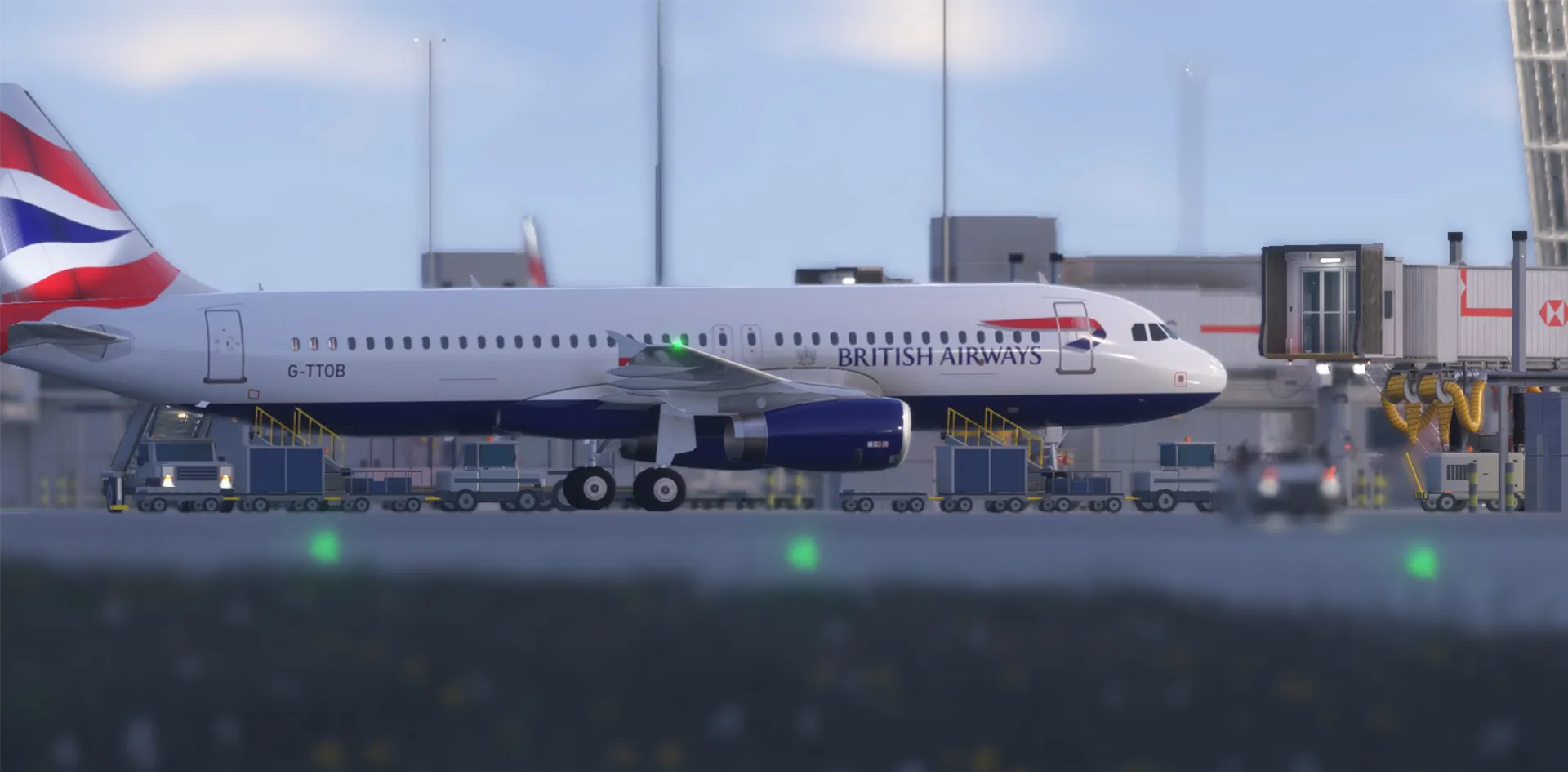


Developed by Thelo Simulation Systems, the PC utility detects aircraft and creates service scenes featuring vehicles and ground personnel. Available since October 12, it is listed on simMarket at €11.80, with currency conversions and applicable taxes determined at purchase.
For anyone who has watched a neighboring airliner sit untouched through an entire preflight, the idea is appealing. Apparently, its baggage handlers were waiting for an add-on.
Activity Beyond Your Own Gate
According to the developer’s product information, Airport Live AI generates varied scenes around nearby aircraft, including baggage handling, catering vehicles and passenger stairs.
It supports AI traffic and aircraft displayed through online networks such as VATSIM. Optional servicing extends activity to the user’s aircraft, including supported light-aircraft operations.
The emphasis is on adding movement and atmosphere across the apron, helping surrounding stands look occupied by working aircraft rather than parked exhibits.
Controls Inside the Simulator
Airport Live AI starts with MSFS 2024 and uses an in-simulator toolbar panel, avoiding another external application to open before departure.
Its Scene Lab tools allow users to adjust vehicle positioning and animation. Aircraft-specific profiles can be saved and shared, providing a way to tailor the activity to different aircraft.
The package uses its own vehicle models without requiring third-party vehicle libraries. Nighttime scenes include illuminated stairs and flashing vehicle beacons.
Performance Depends on Your Setup
Thelo says the package is designed to provide airport activity with lightweight models. However, its listing notes that performance and the amount of activity displayed depend on hardware, airport scenery, traffic density and simulator settings.
Requirements include the PC version of MSFS 2024, 64-bit Windows 10 or Windows 11, and an internet connection for installation and activation.
Available Now
Airport Live AI offers a focused addition for pilots who want more happening outside the cockpit while preparing for their next flight.
Its appeal is easy to understand: traffic supplies the aircraft, while ground activity helps complete the airport scene.
Visit the Airport Live AI product page on simMarket for screenshots, current pricing and the full requirements.
Also on Sky Blue Radio: BlueBird’s WINGFLEX hardware partnership and PMDG’s latest 747 development direction.