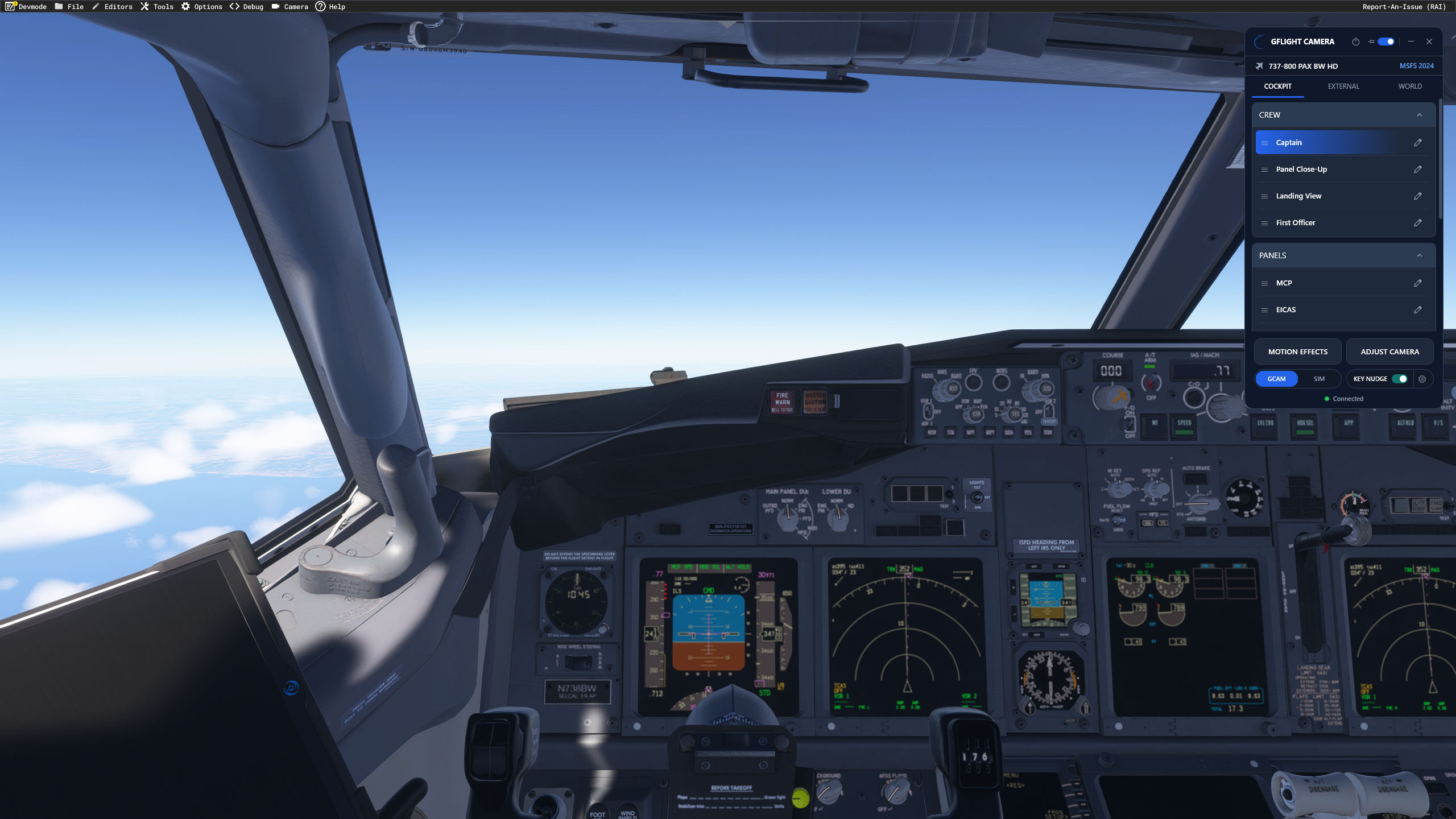


Developed by GFlight Simulator Technologies, the standalone Windows utility combines unlimited camera presets, aircraft-specific profiles and configurable controls. The aim is straightforward: spend less time arranging the view and more time enjoying the flight.
Because sometimes you want to admire the wing—and sometimes you need to find the switch you accidentally clicked while admiring the wing.
Separate Views for Each Aircraft
GFlight Camera automatically detects the loaded aircraft and selects its camera profile. Pilots can maintain different layouts for different aircraft, with saved instrument views, wider cockpit perspectives and exterior positions.
Presets can be recalled through the application, keyboard shortcuts or assigned joystick and yoke buttons. Smooth transitions are available between saved positions, alongside adjustments for zoom, field of view and movement speed.
For pilots who regularly switch aircraft, that means keeping a preferred set of views for each cockpit without manually changing profiles.
Fine Control Over Camera Position
The application includes six-degree-of-freedom keyboard controls. Users can move the camera forward, backward, sideways and vertically, while adjusting pitch, roll and yaw.
GFlight also provides a way to switch between its own camera control and the simulator’s native free-look mode. A view found using native free-look can then be saved as a named preset.
Customizable bindings and shortcut conflict detection help users fit the controls around their existing simulator setup.
Early Access With Features Still Planned
GFlight identifies the software as an early-access product. Its current focus is MSFS 2024; support for MSFS 2020 remains in development.
The developer also states that WORLD camera functionality is not currently available. Compatibility may vary between aircraft and third-party add-ons because of differences in camera implementation.
An active internet connection is required while using the application. GFlight says future updates, including major version upgrades, will be free for existing customers.
Available Now
GFlight Camera is available through the Flightsim.to Store, which lists Windows 10 or 11, MSFS 2024 and an internet connection among its requirements.
Pilots can visit the official GFlight Camera page for further information and additional purchasing options. Prices vary by storefront, currency and applicable taxes.
For simmers who frequently move between instrument close-ups, cockpit perspectives and exterior views, GFlight Camera offers a focused way to organize that part of the flying experience.
Also on Sky Blue Radio: FlightSim Studio’s E-Jets reach Version 1.0 and Just Flight details six A300B4 variants.