
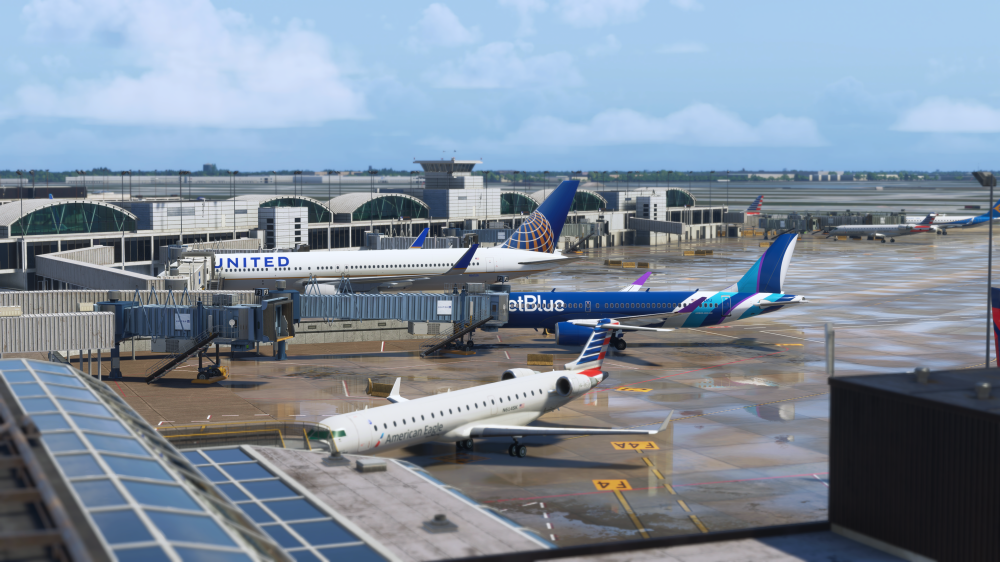
The update comes just weeks after iniBuilds launched what it has described as its largest scenery project to date, a highly detailed recreation of one of the busiest and most complex airports in the world.
Multi-Jetway Problems at Gate M17 Are Fixed
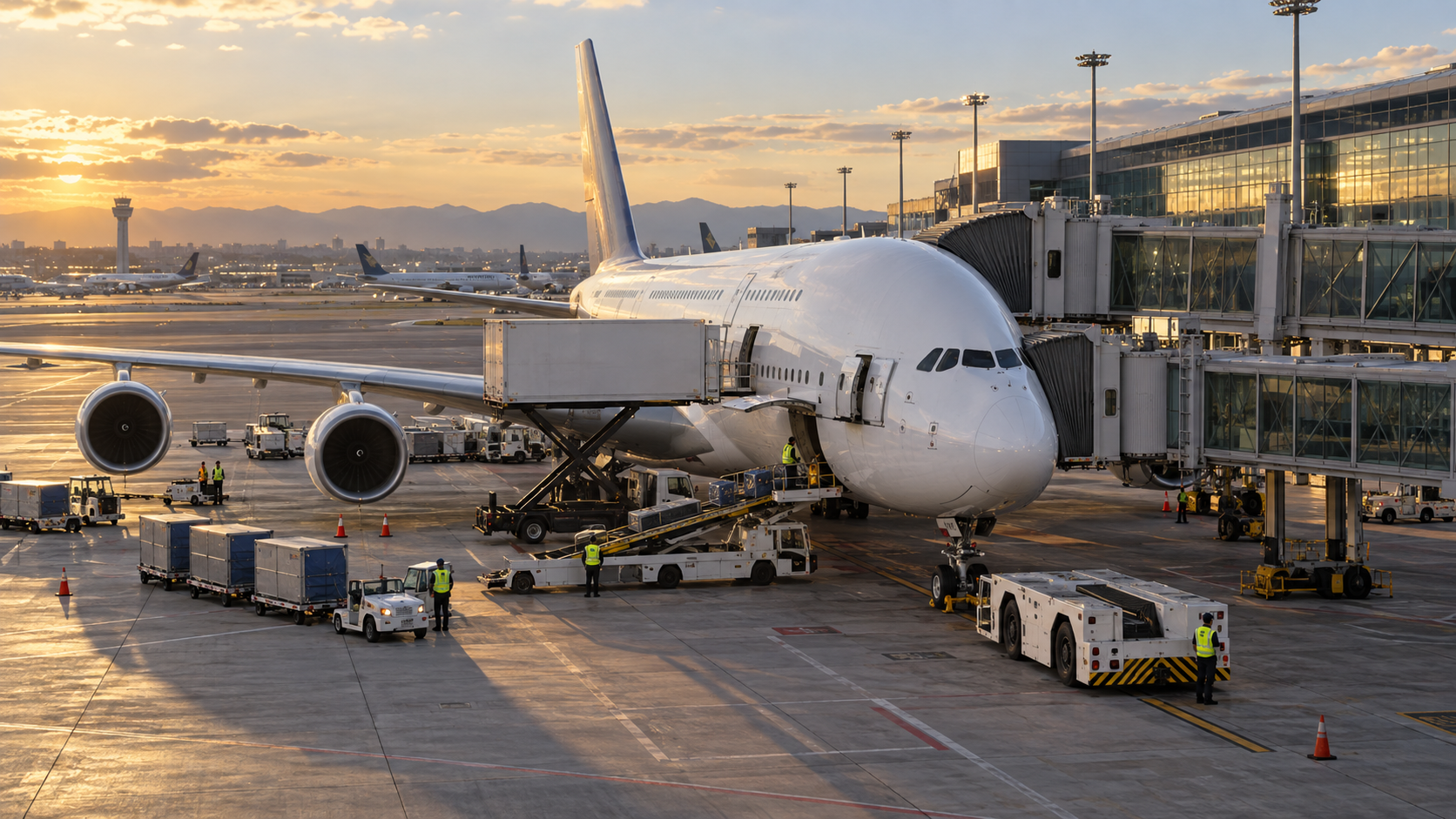
One of the most noticeable fixes in v1.0.2 addresses Gate M17.
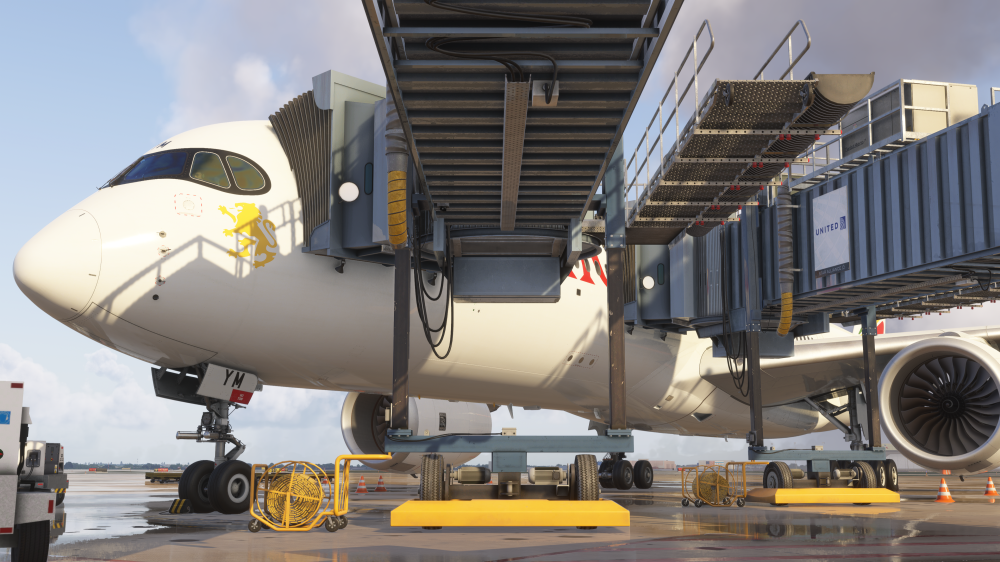
iniBuilds says the update corrects both duplicate jetways and an issue where the company’s Multi-Jetway system was not being detected correctly at the gate.
That is significant because Multi-Jetway support is one of the headline technologies iniBuilds has been rolling into its latest MSFS 2024 airports.
The system is designed to allow compatible aircraft to connect to more than one passenger boarding bridge at the same time, something particularly useful when operating larger aircraft at major international terminals.
At O’Hare, where widebody and high-capacity aircraft are a regular part of the operation, getting that behavior right is more than a decorative detail.
New GSX Profile Included
Version 1.0.2 also includes GSX Profile v1.4.
GSX profiles help configure ground-service behavior around individual gates, including aircraft positioning, pushback routes and service equipment.
iniBuilds included an official GSX profile when KORD originally launched, and the updated profile continues refining how the scenery works with the popular ground-handling add-on.
For pilots who spend half an hour carefully setting up a realistic turnaround before departure, that is the sort of update that can prevent the baggage loader from attempting to explore the terminal wall.
Animated Airport Train Can Now Be Disabled
Another new addition is a configuration option for the animated airport train.
Users can now decide whether the train operates within the scenery.
That may sound like a small quality-of-life feature, but animated objects can contribute to rendering load at large airports.
Giving users the ability to disable non-essential animation provides another way to tune the scenery for their hardware.
And O’Hare is exactly the type of airport where every bit of performance headroom can matter.
iniBuilds Targets Performance and Memory Use
The biggest part of the update may actually be happening behind the scenery.
iniBuilds says v1.0.2 includes a wider optimization pass aimed at reducing rendering and memory overhead throughout Chicago O’Hare.
The work includes reducing node counts in terminal models, reviewing texture memory consumption and adjusting Level of Detail configurations throughout the airport.
The developer says those changes should result in more efficient resource usage, particularly around the scenery’s most detailed terminal areas.
That matters at an airport this large.
O’Hare contains enormous terminal complexes, hundreds of gates, airside roads, detailed interiors and a huge collection of custom scenery objects.
Even powerful gaming systems can feel the weight when all of that is visible at once.
Terminal Node Counts Have Been Reduced
iniBuilds specifically lists reduced terminal node counts among the changes.
In practical terms, that means the scenery models have been optimized to reduce the amount of geometry and object-processing work the simulator needs to handle.
The challenge for developers is doing that without making the airport noticeably less detailed.
iniBuilds has emphasized optimization throughout KORD’s development, saying even before release that considerable effort was being spent ensuring the airport could maintain performance despite its size.
Version 1.0.2 continues that work after customers have had time to put the scenery through real-world use.
Texture Memory Usage Gets Another Pass
Texture memory has also been reviewed and optimized.
Detailed airport scenery can consume substantial amounts of VRAM, particularly when high-resolution textures are applied across large terminals and interior spaces.
iniBuilds says it has reviewed the memory overhead associated with terminal textures and made adjustments where necessary.
For users flying into O’Hare with complex aircraft, AI traffic, live weather and other add-ons running simultaneously, reducing VRAM pressure can help prevent stutters and sudden performance drops.
A scenery package never exists in isolation.
It has to share the computer with the airplane, traffic, weather, terrain and everything else MSFS 2024 is trying to render at the same time.
Interior Props and Jetways Get Better LODs
The update also adjusts Level of Detail settings for interior props and jetways.
LOD systems control how much detail an object uses depending on its distance from the viewer.
When configured well, nearby objects remain highly detailed while distant ones are rendered with simpler geometry.
When configured poorly, your GPU gets assigned the riveting task of drawing extremely detailed baggage carts six concourses away.
The new adjustments should help KORD spend its performance budget more intelligently.
People Models Lose Their Shadows
iniBuilds has also disabled cast shadows on people models around the airport.
Again, it sounds tiny.
Across a huge airport containing numerous animated or static people, however, hundreds of additional real-time shadows can add unnecessary rendering work.
Removing those shadows is another example of the kind of small optimization that becomes meaningful when repeated across an airport the size of O’Hare.
Heliport Lighting Corrected
The scenery’s heliport lighting also receives a fix.
iniBuilds says the heliport light colors have been corrected to orange.
It is a comparatively minor visual correction, but one that improves accuracy for anyone using O’Hare’s helicopter facilities or simply exploring the airport at night.
Texture Configurations Adjusted
Multiple textures have received bitmap-configuration adjustments as part of the update.
iniBuilds does not specify every texture affected, but the changes form part of the broader effort to balance visual quality and memory usage.
That becomes especially important at KORD because the airport was designed with detailed terminal interiors rather than relying entirely on simple exterior facades.
O’Hare Is iniBuilds’ Biggest Scenery Project Yet
The scale of the optimization work makes more sense when looking at what iniBuilds built.
The developer describes Chicago O’Hare as its largest scenery project to date.
The original release includes:
- Hundreds of handcrafted buildings, jetways, vehicles and airport objects
- Detailed terminal and concourse interiors
- Full-HD ground textures
- A 2026 airport layout
- Custom taxi signage
- Official GSX support
- Optimized LODs
- MSFS 2024 SDK features
- iniManager integration
That is a lot of scenery to keep running smoothly.
iniBuilds Actually Went to Chicago
The airport was also developed using extensive on-site research.
During development, the iniBuilds scenery team traveled to Chicago to gather reference material around O’Hare.
That work included terminal exteriors and interiors, airside roads, signage, textures, lighting and other operational details.
The team even recreated recognizable interior areas such as the Hall of Flags in Terminal 3, a location many travelers may recognize from films including Home Alone.
That local research is part of what makes KORD considerably heavier than an airport built mostly from satellite imagery and publicly available photographs.
One of the Most Complicated Airports to Recreate
Chicago O’Hare is an enormous target for any scenery developer.
The airport serves as a major hub for both United Airlines and American Airlines, handles international traffic from around the world and contains a sprawling network of terminals, runways and taxiways.
For flight simmers, that makes it exceptionally versatile.
A short United regional flight works.
A transcontinental American Airlines operation works.
A 777 arriving from Europe works.
So does a cargo operation in the middle of the night.
The downside is obvious: recreating all of that convincingly requires an enormous amount of scenery.
Post-Release Optimization Matters
There is a tendency to judge scenery products almost entirely by release-day screenshots.
Large airports rarely stop evolving there.
Once thousands of users begin operating different aircraft, traffic packages and hardware configurations, developers gain much more information about which areas are creating unexpected performance pressure.
That is what makes the optimization work in v1.0.2 arguably more important than another decorative terminal feature.
Nobody buys Chicago O’Hare because they want fewer details.
But nobody wants to land a 777 at 35 frames per second and arrive at the gate with seven.
The Train Option Is Part of That Philosophy
The ability to disable the animated airport train fits neatly into the same strategy.
Some users with high-end systems may want every moving object enabled.
Others would rather preserve those resources for aircraft systems, traffic or higher graphics settings.
Providing configuration options lets the customer decide where the performance budget goes.
That is especially useful with MSFS 2024, where scenery, aircraft and environmental complexity can stack up rapidly around major hubs.
Available Through iniManager
Chicago O’Hare v1.0.2 is available now through iniManager for existing customers.
Users who already own the scenery can download the update through the same utility used to install and manage iniBuilds products.
The update does not dramatically change how KORD looks.
Instead, it concentrates on something arguably more useful after release: making the airport behave better.
A Better O’Hare Rather Than a Bigger One
There are no new terminals in v1.0.2.
No surprise runway.
No fleet of animated catering trucks performing synchronized ballet.
What iniBuilds has delivered instead is a refinement update aimed at the areas customers are actually interacting with.
Multi-Jetways should work more reliably at Gate M17.
GSX gets an updated profile.
The airport train can be disabled.
Terminal geometry has been optimized.
Texture memory has been reviewed.
Jetways and interiors should use resources more efficiently.
For an airport iniBuilds already calls its largest scenery project ever, that may be exactly the right kind of update.
Chicago O’Hare did not need to become bigger.
It needed to become smoother.
And version 1.0.2 is aimed squarely at doing that.